WhatsApp and SMS

WhatsApp and SMS with your own account, on every customer record

Connect your WhatsApp Business number on Meta and your Twilio account for SMS. Reply to conversations from Flowgration, send to a segment and add messages to your journeys, with the whole history on the customer record.

From the Growth plan · Try any paid plan for 14 days with no card

Conversations · WhatsApp
Customer service window open: you can reply with free text.
  • Hi, do you have the Brisa shirt in size S?
  • Hi Carmen! Yes, we have one left. Shall we put it aside for you?
  • Yes please. I'll come by the shop tomorrow.
Once the 24-hour window closes, only an approved template can be sent.
Sample data

One more channel in the customer's path

Messages go out from the record, a send or a journey, and replies come back to the contact's conversation, where the whole team sees them.

How it all connects

  1. 01
    Link page
    Your bio link, with your buttons, your socials and a QR code
  2. 02
    Form or booking
    The customer leaves their details or picks a slot
  3. 03
    Contact + deal
    Created or filled in on their own in the CRM
  4. 04
    Journey
    Welcome, confirmation or reminder, hands-free
  5. 05
    Campaign report
    See which campaign brought each contact and each sale
Your accounts

You connect your accounts and pay your provider for the messages

SMS goes out from your Twilio account and WhatsApp from your number on Meta's WhatsApp Business Cloud API. The numbers, the templates and the cost of each message belong to your account.

  • SMS through your own Twilio account
  • WhatsApp through Meta's Cloud API with your number
  • WhatsApp templates synced, created and deleted in your Meta account from Flowgration
  • A test message to check each channel
Channels
  • SMS
    Provider: Twilio
    Your account
  • WhatsApp
    Provider: Meta Cloud API
    Your account
On the record

Every conversation, on the customer record

The messages you send and receive are stored on the contact. From their record you open the conversation in one click and reply from the Conversations page.
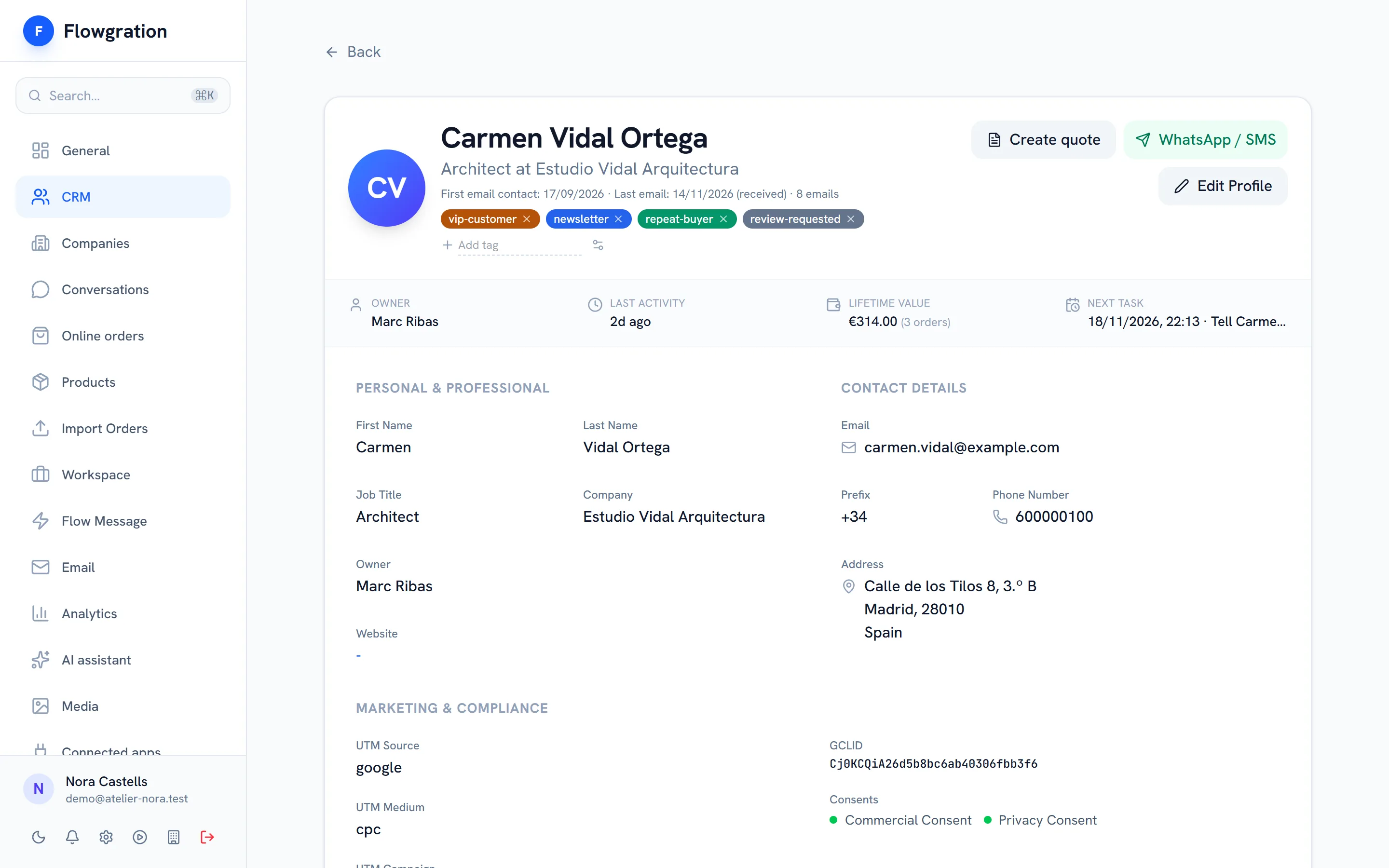
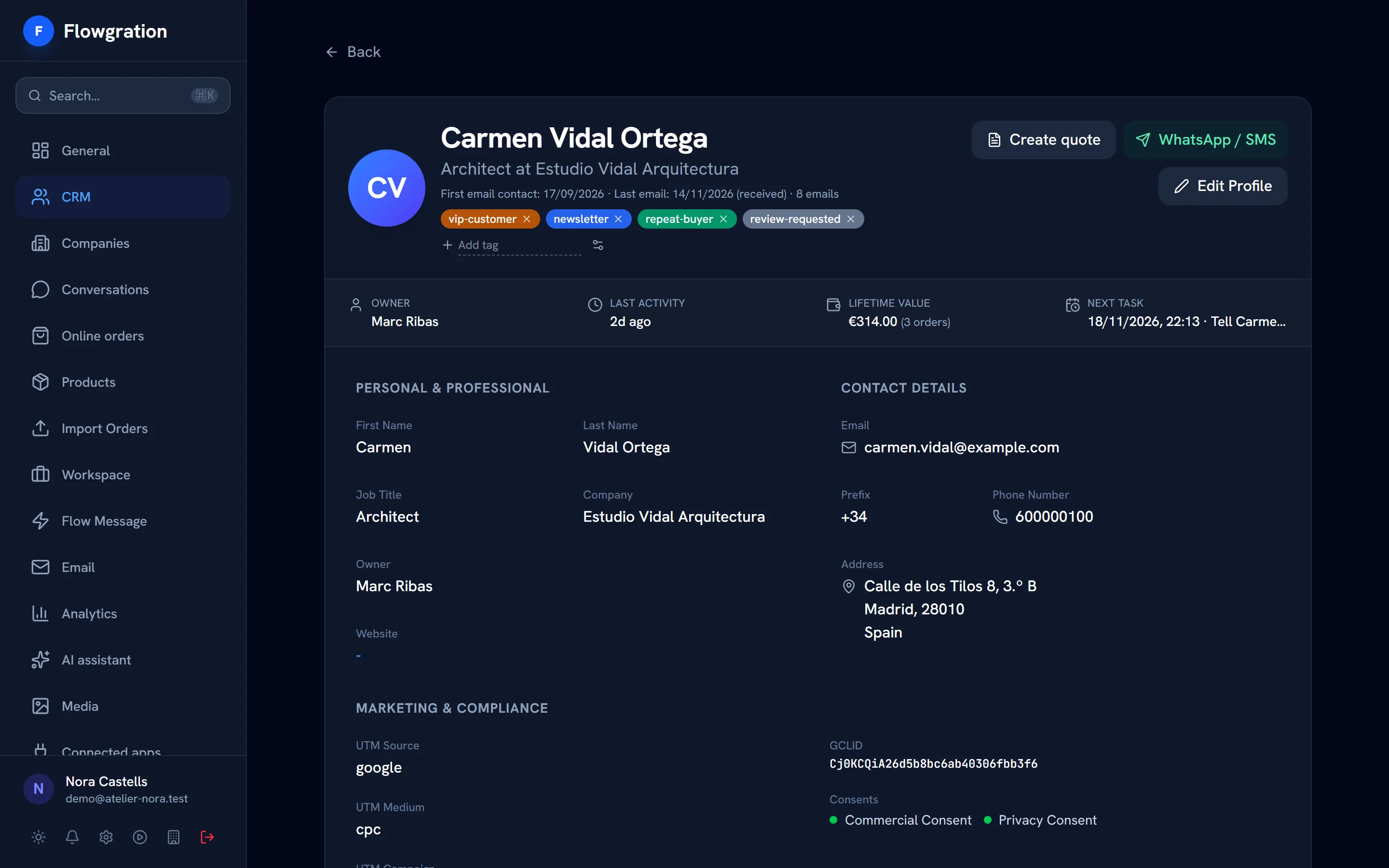
  • "WhatsApp / SMS" button on the contact record
  • Customer replies stored in their conversation
  • Delivery and read status for each message
  • A notice telling you whether WhatsApp's 24-hour window is open or closed
Contact profile in Flowgration with tags, owner, lead score, orders value and the next task

Sample data

Journeys and sends

Messages that go out on their own at the right time

Add SMS and WhatsApp steps to your journeys or send to a segment. If the 24-hour window is closed, the WhatsApp step uses the approved template you configured.

  • SMS and WhatsApp steps in the journey editor
  • SMS and WhatsApp mass sends only to contacts with consent for that channel
  • WhatsApp mass sends with an approved template
  • STOP messages unsubscribe the contact and never start a journey
Appointment reminder
  1. 1Booking upcoming
  2. 2WhatsApp with a reminder template
  3. 3Booking cancelled?
Yes
  • SMS with the link to book again
No
  • Exit the journey
Example journey
Channel rules

What the messaging takes care of for you

WhatsApp and SMS rules, applied inside the product.

24-hour window

With the window open you reply with free text; once it closes, Flowgration only lets you send an approved template.

Templates with variables

Variables, a media header and link buttons in your WhatsApp templates.

Consent per channel

Separate SMS and WhatsApp consent on every contact.

Keyword opt-outs

STOP, BAJA or PARAR unsubscribe the contact from SMS and WhatsApp; START or ALTA subscribe them again.

Delivery statuses

Each message shows whether it was sent, delivered and read.

Messages that start journeys

A journey can start when a WhatsApp or SMS arrives from a contact.

WhatsApp and SMS frequently asked questions

Do I need my own WhatsApp and Twilio accounts?
Yes. SMS goes out from your Twilio account and WhatsApp from your number on Meta's WhatsApp Business API. Each provider charges you for its messages directly on your account.
Which plan do I need for WhatsApp and SMS?
The Growth plan or above, which includes the SMS and WhatsApp channels, their journey steps and the Conversations page. You can try any paid plan for 14 days with no card.
What happens if the customer has not written to me in the last 24 hours?
WhatsApp then only allows a template approved by Meta. Flowgration tells you in the conversation and asks you to pick a template; in journeys, the step uses the template you configured.
How does a contact unsubscribe?
If they reply STOP, their SMS and WhatsApp consent is withdrawn and that message never starts a journey. Mass sends only go to contacts with consent for the channel.

Write to your customers where they read

Connect your accounts and keep every conversation on its customer's record.

Try it free for 14 days