CRM and sales pipeline

A CRM where every customer has one single record

Contacts, companies and deals in one or several pipelines with the stages you define. Tasks, notes, activities and segments that update themselves, and on each customer's record, their emails, orders, bookings and messages.

No credit card · The CRM is included in the free plan
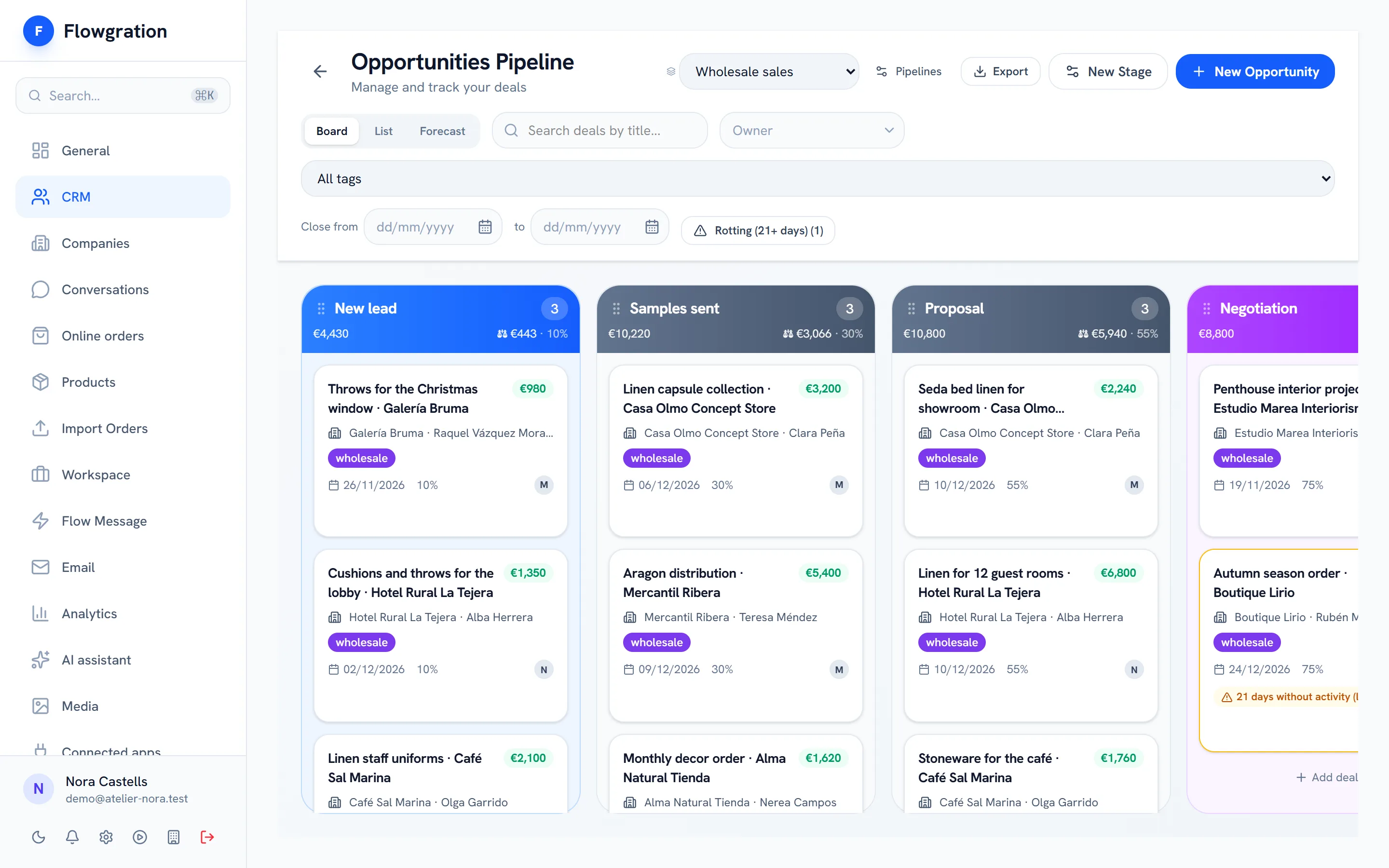
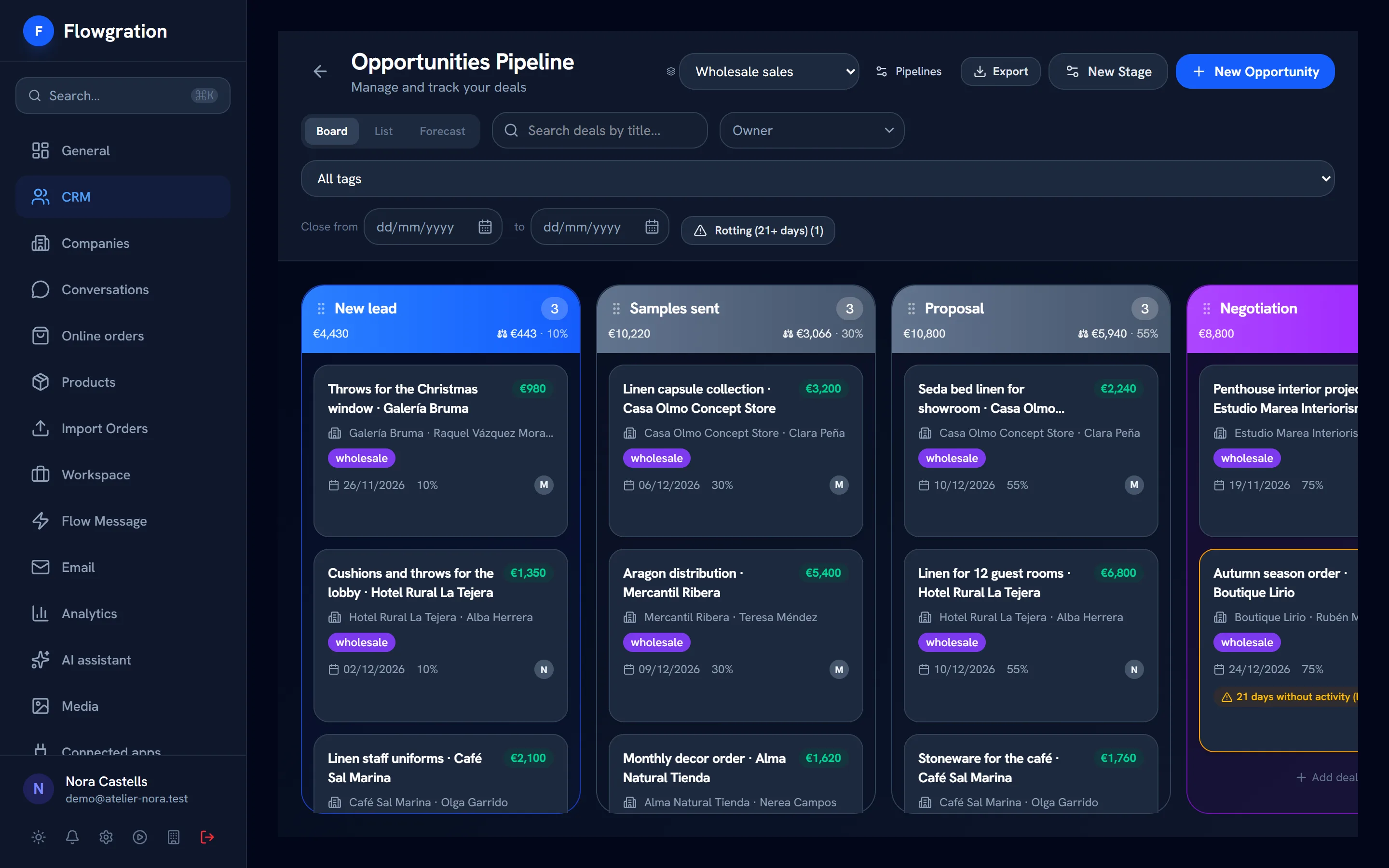
Sales pipeline board with wholesale deals in each stage and their value

Sample data

The CRM sits at the centre of everything else

Forms, bookings, orders and messages create or fill in the contact and its deal; journeys and campaign reports work on that same data.

How it all connects

  1. 01
    Link page
    Your bio link, with your buttons, your socials and a QR code
  2. 02
    Form or booking
    The customer leaves their details or picks a slot
  3. 03
    Contact + deal
    Created or filled in on their own in the CRM
  4. 04
    Journey
    Welcome, confirmation or reminder, hands-free
  5. 05
    Campaign report
    See which campaign brought each contact and each sale
One record

Everything about a customer, on a record you arrange

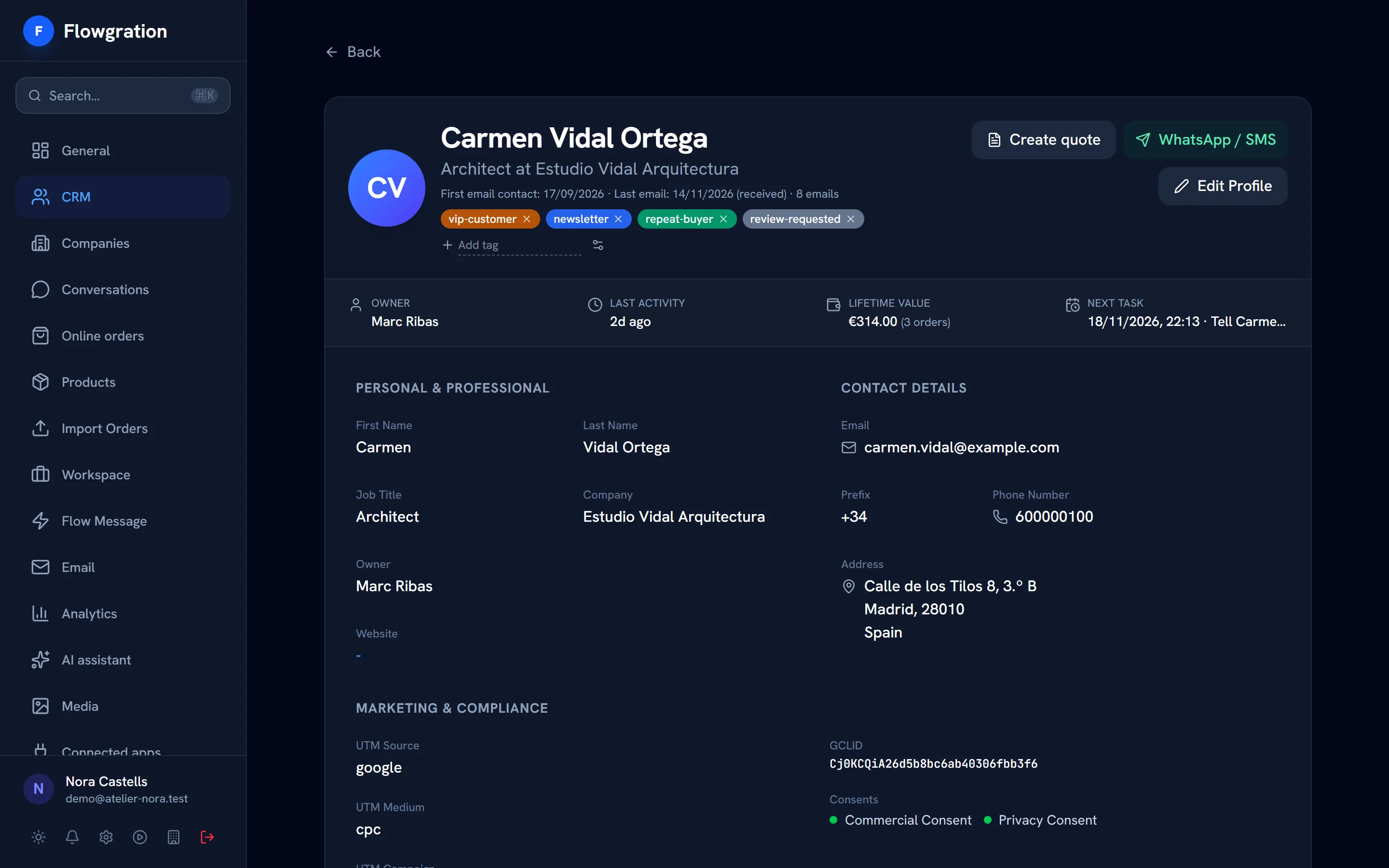
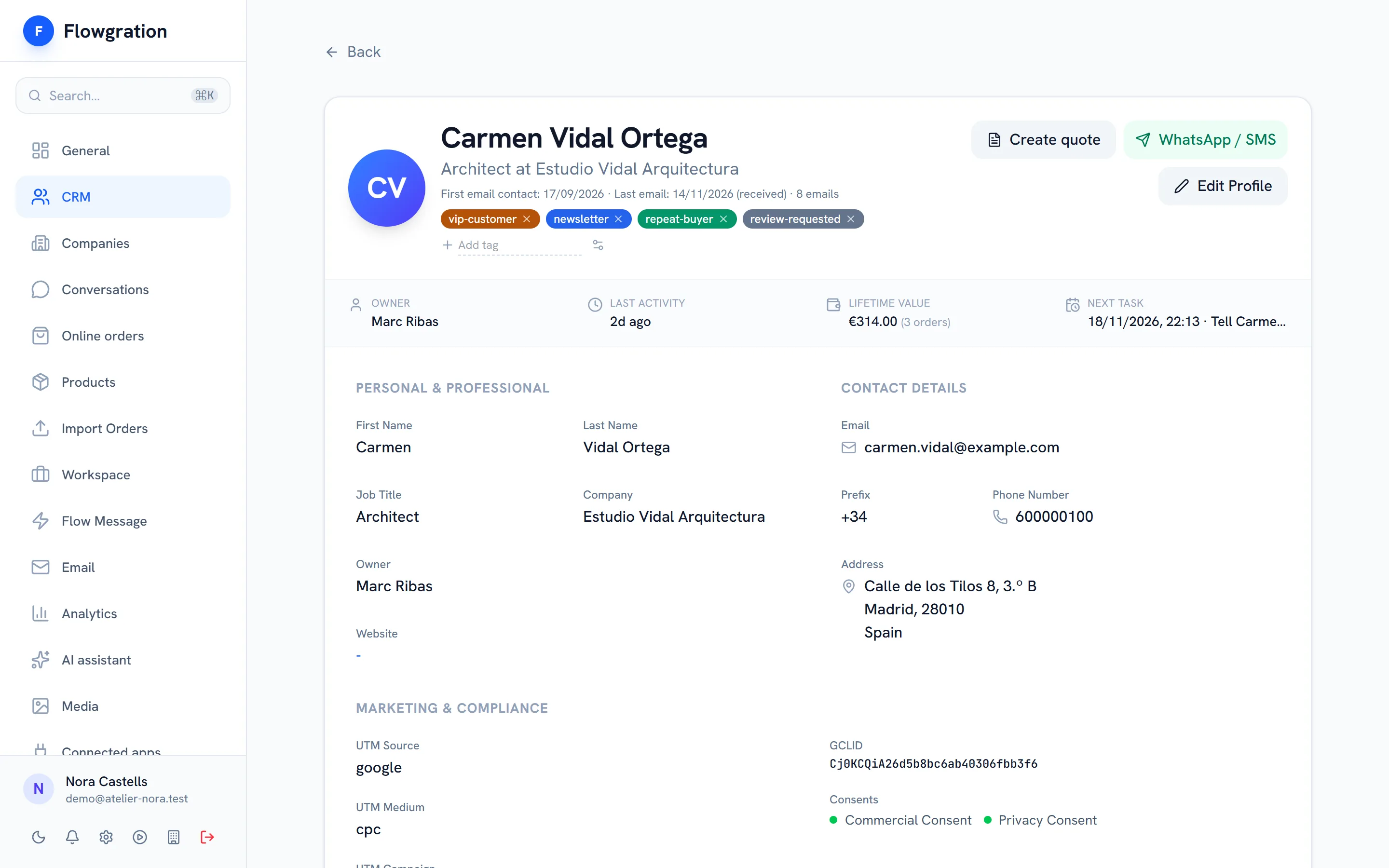
The record brings together each customer's details, tags, owner, consents and activity. You decide which field groups your team sees and in what order.
  • Field groups you create, rename, hide and reorder
  • Custom fields for text, numbers, dates, lists, phone numbers and more
  • Every contact linked to its company
  • Duplicate detection and contact merging with a preview
Contact profile in Flowgration with tags, owner, lead score, orders value and the next task

Sample data

Segments

Segments that keep themselves up to date

Set the rules once and the segment always includes whoever matches them. Use it for a mass send, as a journey condition or to share out the team's work.

  • Smart filters based on rules, evaluated every time they are used
  • Manual lists with the contacts you pick
  • Segments from a campaign: who opened, clicked, replied or bought
  • Available in mass sends and in journey conditions
New segment
  • Smart filters
    Dynamic, rule-based
    Dynamic
  • Manual list
    Pick specific contacts
  • From a campaign
    Who opened, clicked, replied or bought
Import and permissions

Bring your data and decide who sees what

Import contacts from a CSV file or from other CRM and email marketing tools with their API token. Importing does not trigger your "contact created" journeys.

  • CSV import with column mapping
  • Import companies, contacts, pipelines, deals, notes and activities from other tools
  • Permissions per module: none, read or edit
  • Custom roles from the Growth plan and own-records-only visibility from Pro
Permissions of the "Sales" role
  • CRM
    Edit
  • Email
    Read
  • Analytics
    None
  • Invoicing
    None
Example configuration
Day to day

What your team uses every day

The building blocks of a sales CRM, with no add-on modules to buy.

Pipelines with your stages

Create, rename and reorder stages, and move each deal by dragging it on the board. One pipeline on Free and Essential, three on Growth and unlimited from Pro.

Complete deals

Amount, currency, probability, expected close date and lost reason on every deal.

Tasks

Calls, emails, meetings or follow-ups with priority and due date, linked to a contact, a company or a deal, plus recurring tasks.

Notes and activities

Internal notes with mentions of teammates, and a log of each customer's calls, meetings and emails.

Companies

Each company with its contacts, its primary contact and its deals.

Duplicates

Detect duplicate contacts and merge them after checking the preview.

CRM frequently asked questions

What does the Flowgration CRM include?
Contacts, companies and deals in pipelines with your own stages, tasks, notes, activities, dynamic segments and one record per customer with editable field groups. The CRM is in every plan, including the free one.
Can I have several pipelines?
Yes. The Free and Essential plans include one pipeline, Growth includes three, and Pro and Business have no limit. You define your own stages in each pipeline.
How do I move my contacts to Flowgration?
Upload a CSV file or import from other CRM and email marketing tools with their API token. Importing does not trigger your "contact created" journeys; something is only sent if you turn on double opt-in for the import or one of your automation rules starts a journey.
Can I limit what each person on the team sees?
Yes. Each role has none, read or edit permission on every module. Custom roles and section permissions are available from the Growth plan, and the option for each user to see only their own records from Pro.

Get your customers in order today

Import your contacts, set up your stages and start on the free plan.

Start free