Link-in-bio pages

Your link in bio, connected to your CRM

A page for your Instagram or TikTok bio with your socials, your buttons, a form and your booking page. Visitors can message you, subscribe or book, and every contact reaches the CRM with the campaign that brought it.

The Free plan includes 1 page · No credit card
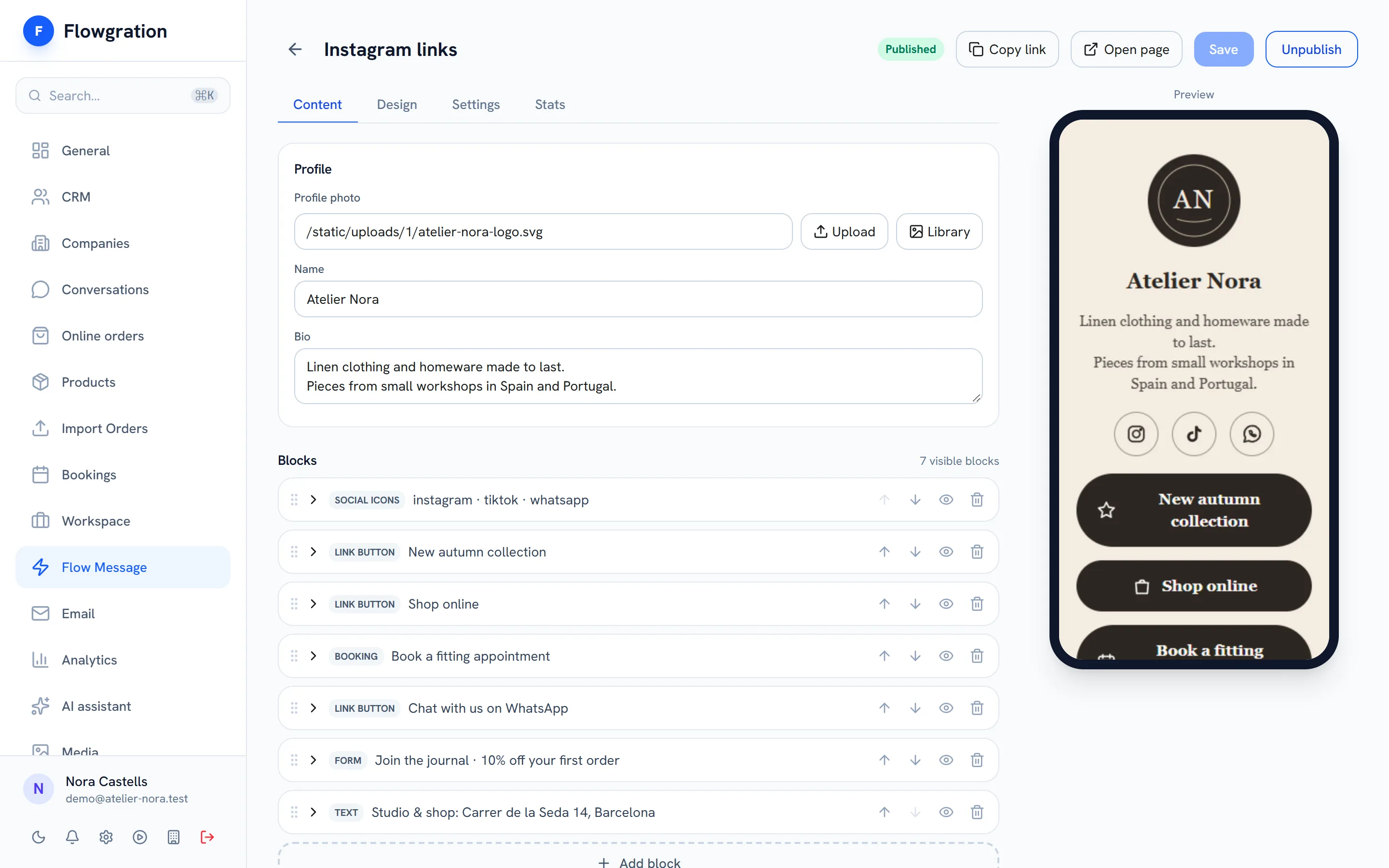
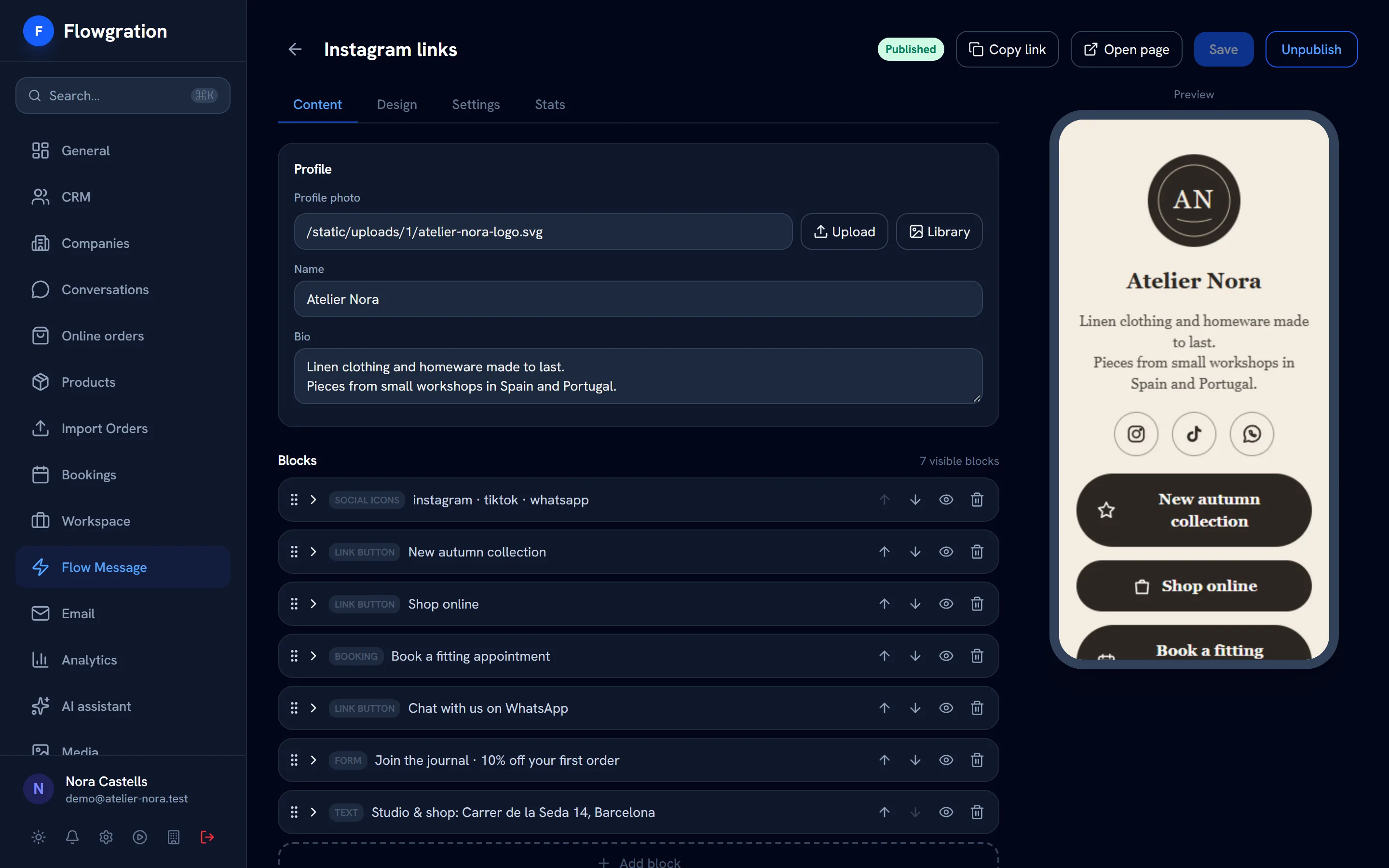
Link page editor with its blocks (socials, buttons, booking and form) and the phone preview

Sample data

From your bio to the customer record

The link page is the front door: the form or the booking creates the contact, the journey welcomes them and the campaign report counts the result.

How it all connects

  1. 01
    Link page
    Your bio link, with your buttons, your socials and a QR code
  2. 02
    Form or booking
    The customer leaves their details or picks a slot
  3. 03
    Contact + deal
    Created or filled in on their own in the CRM
  4. 04
    Journey
    Welcome, confirmation or reminder, hands-free
  5. 05
    Campaign report
    See which campaign brought each contact and each sale
The page

Your photo, your bio, your socials and your buttons

Add blocks and order them as you like: link buttons, social icons, headings, text, images, video and dividers. Pick a theme and watch the result in the phone preview while you edit.
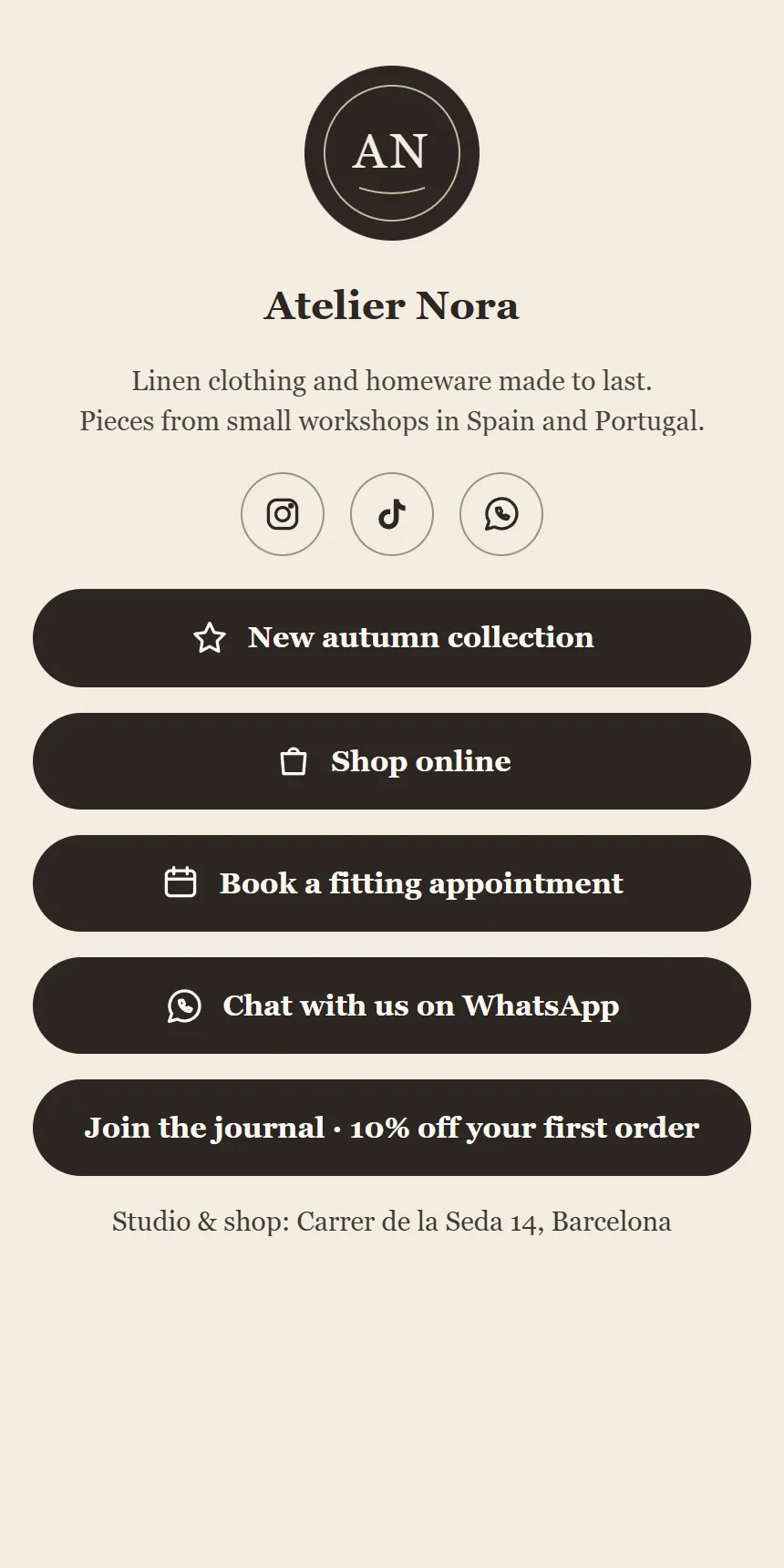
  • Instagram, TikTok, WhatsApp and other social icons
  • Buttons with icons, images and video
  • Themes to match your brand
  • A downloadable QR code for your shop, parcels or cards
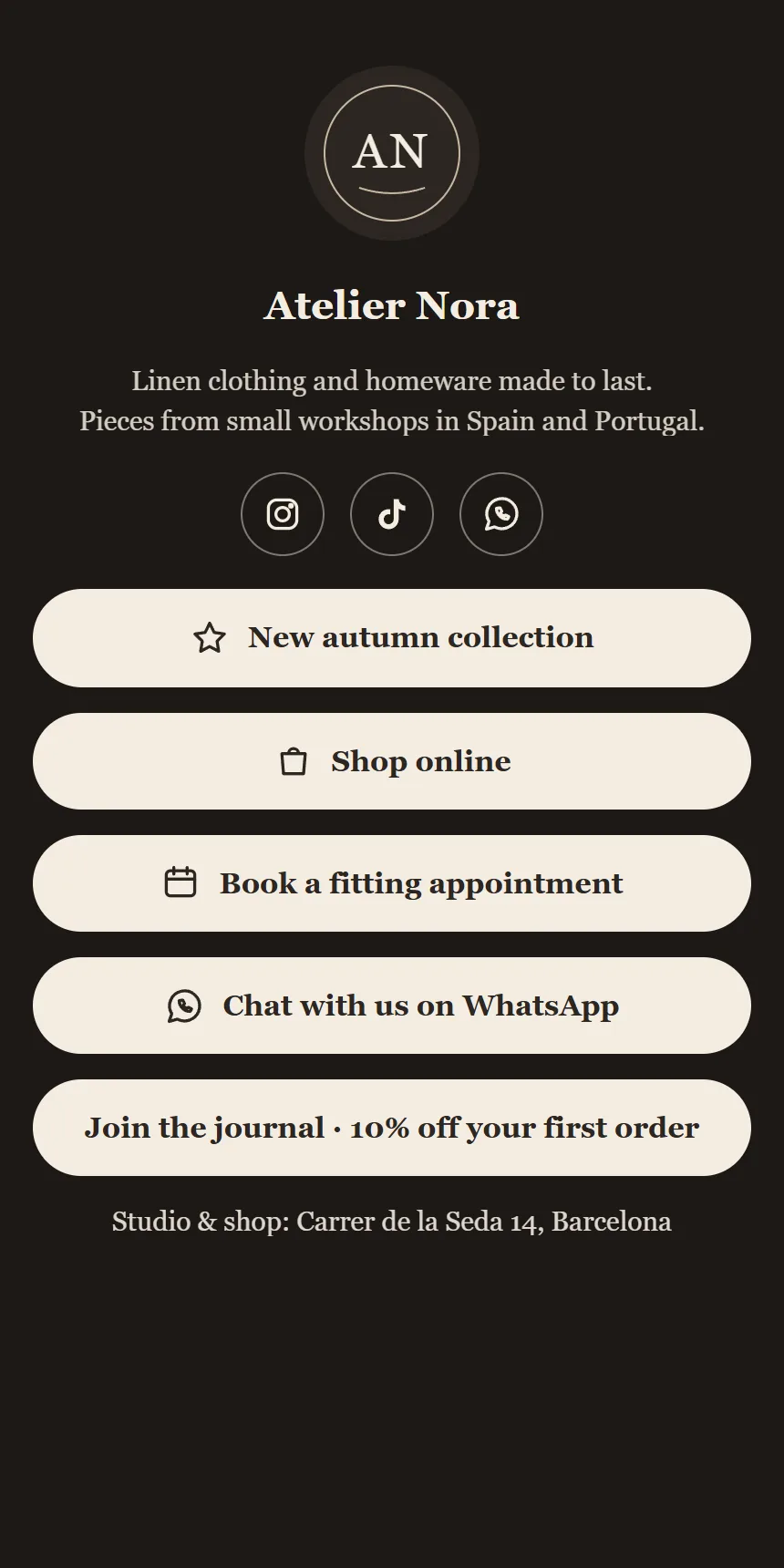
Public link page of a sample store on a phone: photo, bio, social icons and buttons for the shop, booking, WhatsApp and the newsletter

Sample data

Form and booking inside

Visitors subscribe right there or go straight to booking

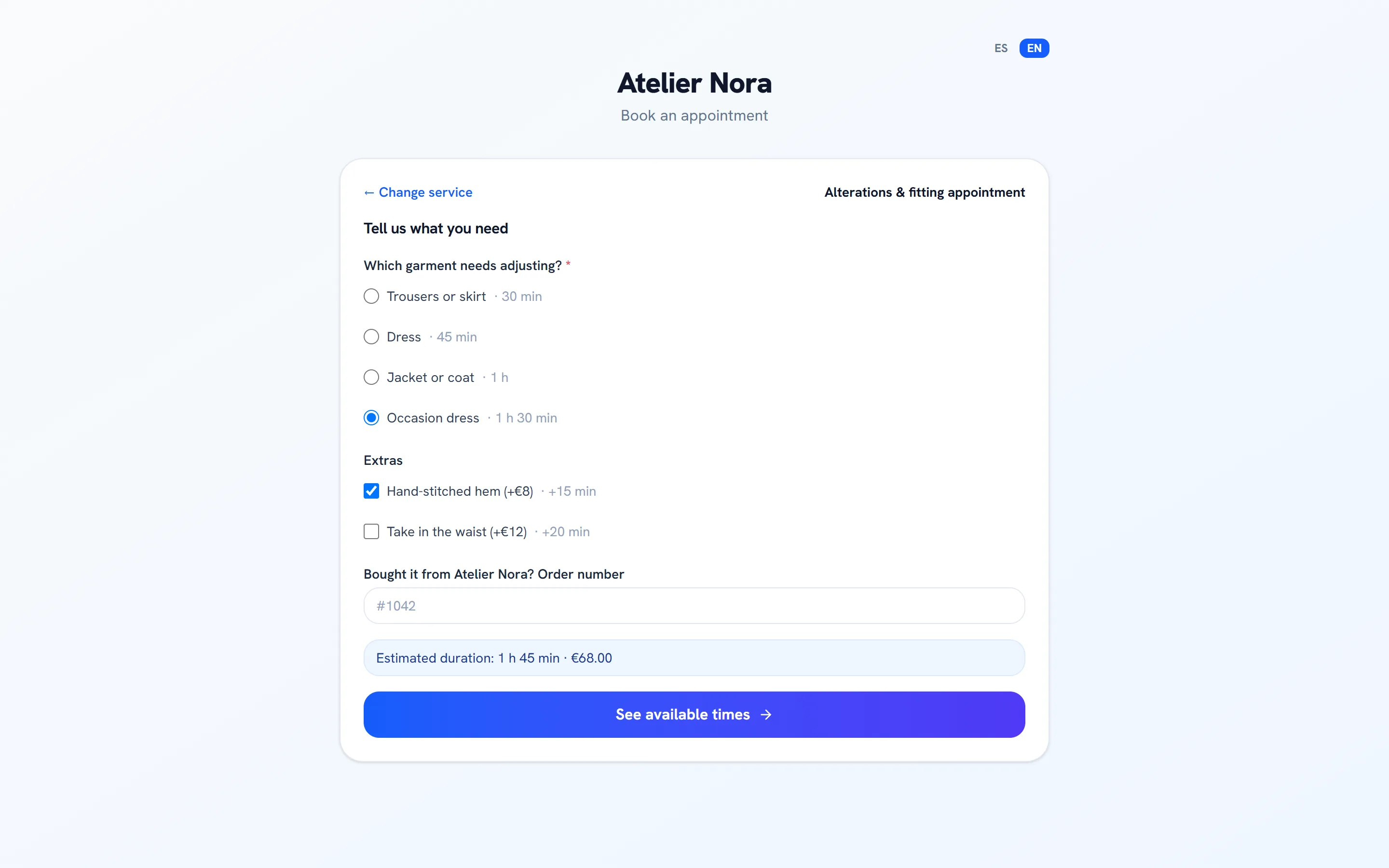
Put one of your forms on the page, or a booking button that opens your booking page. Whatever the customer submits or books lands in the CRM as a contact and a deal.
  • A form block with any of your forms
  • A booking button to your services
  • Contact and deal created in the CRM
  • The journey you choose starts with the submission or the booking
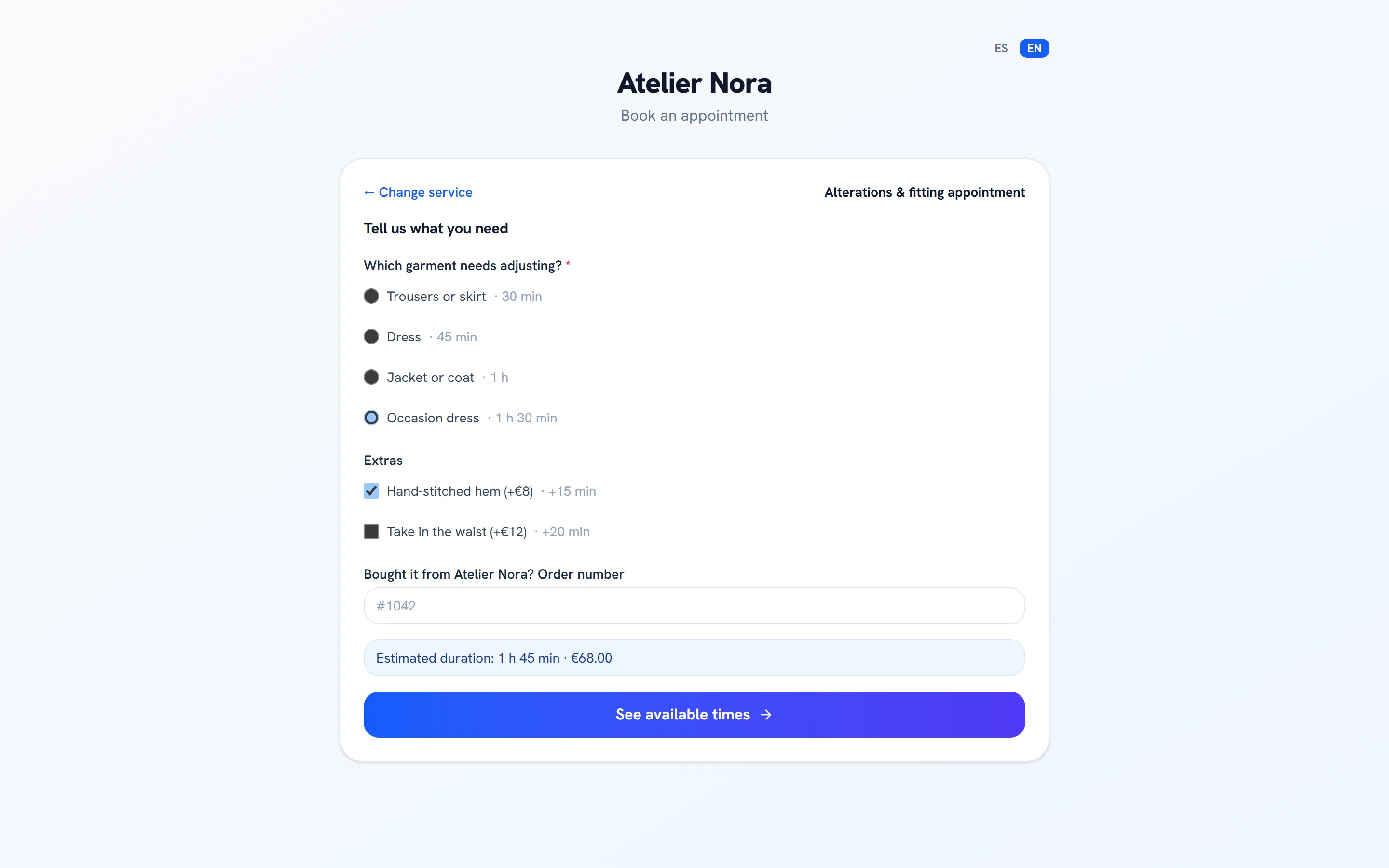
Public booking page with intake questions: the chosen garment and extras adjust the estimated duration and the price

Sample data

Measurement and campaigns

Know which button works and which campaign sells

Each page counts its views and the clicks on every button without cookies. Assign it to a CRM campaign and the contacts who come through its form or booking are attributed to that campaign.
  • Views and clicks per button, cookieless
  • A campaign assigned to the page
  • Contacts and deals attributed to the campaign
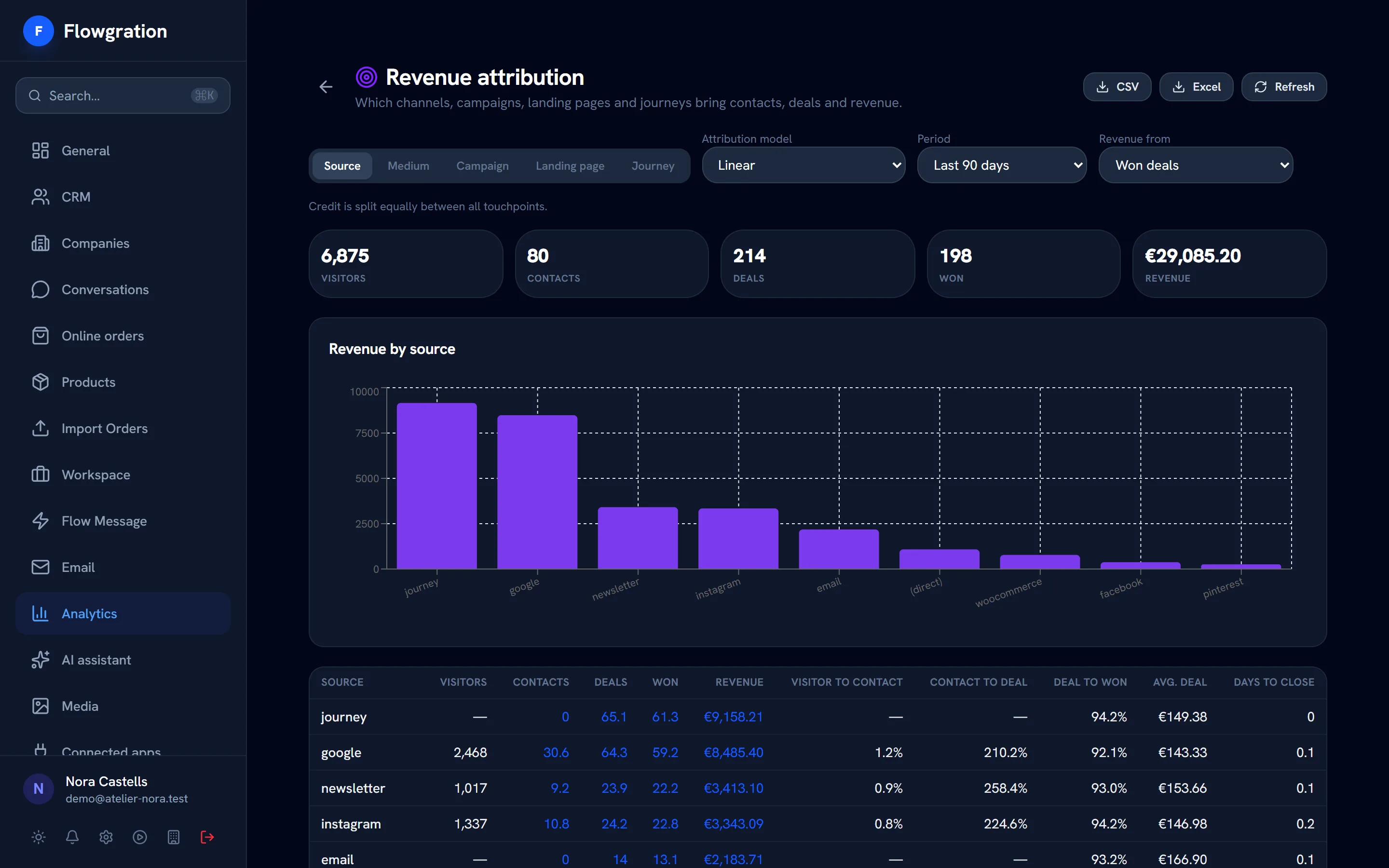
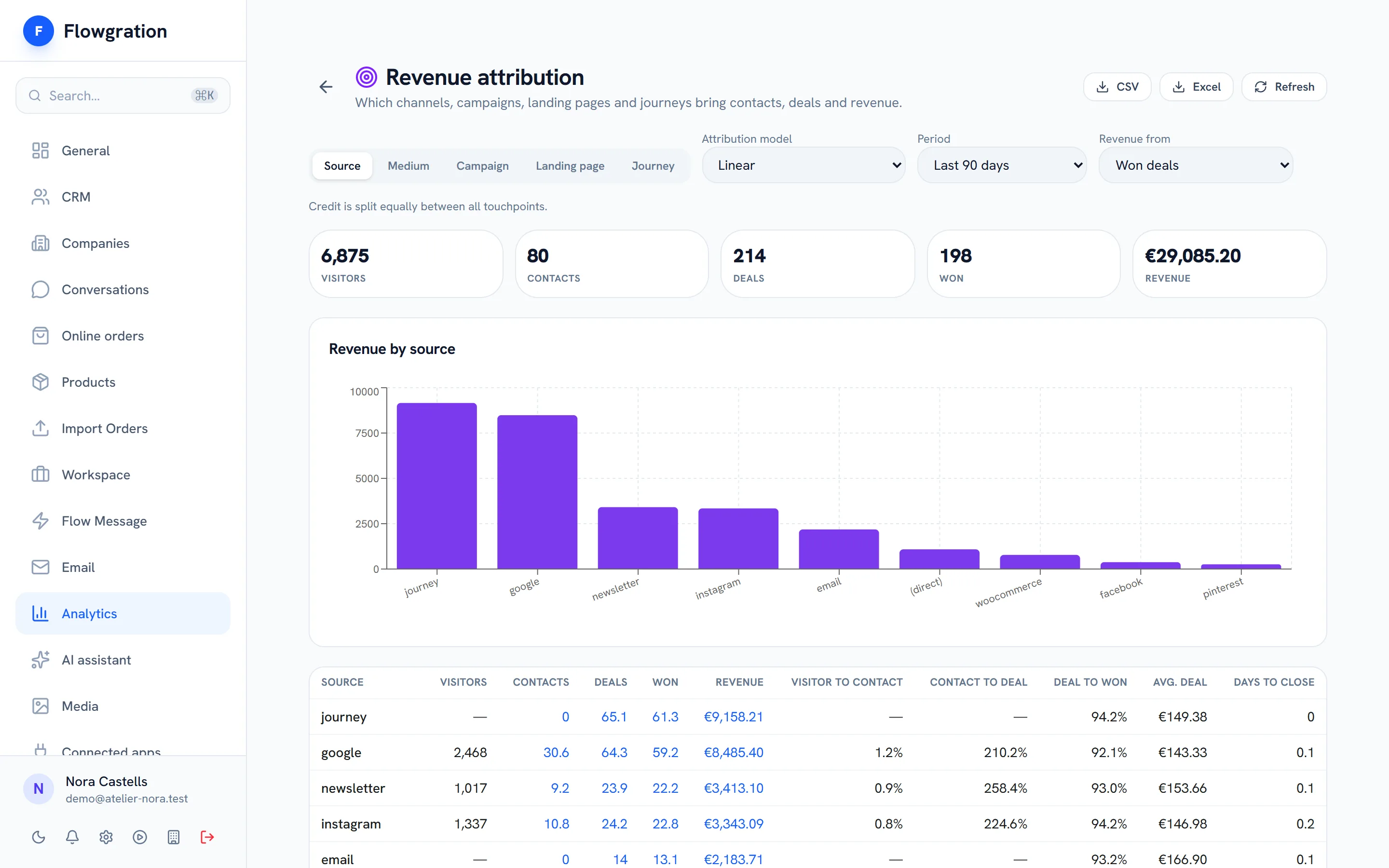
  • Attribution report with revenue by channel (from Pro)
Revenue attribution report: orders and won deals credited to each traffic source and campaign

Sample data

Built to last

A link that does not break

Publish, unpublish or duplicate a page whenever you want, and its address is yours alone.

A unique link

An address that is yours alone: if you change it, the old one redirects to the new one and nobody else can use it.

Draft and publish

Prepare the page as a draft and publish it when it is ready.

Duplicate

Copy a page for a new campaign or season in one click.

Free plan

Includes 1 page, with a “Made with Flowgration” badge.

Link-in-bio pages FAQ

What is a link page or link in bio?
A simple page you put in your Instagram, TikTok or other social bio, with the buttons you want people to see: your shop, your WhatsApp, your bookings or your newsletter. In Flowgration it is also connected to the CRM.
What can I put on the page?
Your photo, a short bio, social icons, link buttons, headings, text, images, video, dividers, one of your forms and a booking button. You pick the theme and download the page's QR code.
How are views and clicks measured?
Each page counts its views and the clicks on every button in aggregate, without cookies. If you assign it to a CRM campaign, contacts who come through its form or booking are attributed to that campaign.
Is it included in the Free plan?
Yes. The Free plan includes one link page with a “Made with Flowgration” badge; paid plans include more pages.

Put your new page in your bio today

Build it in minutes, connect your form and your bookings and see which button works.

Start free