Campaign attribution

Which campaign brought each contact, each deal and each sale

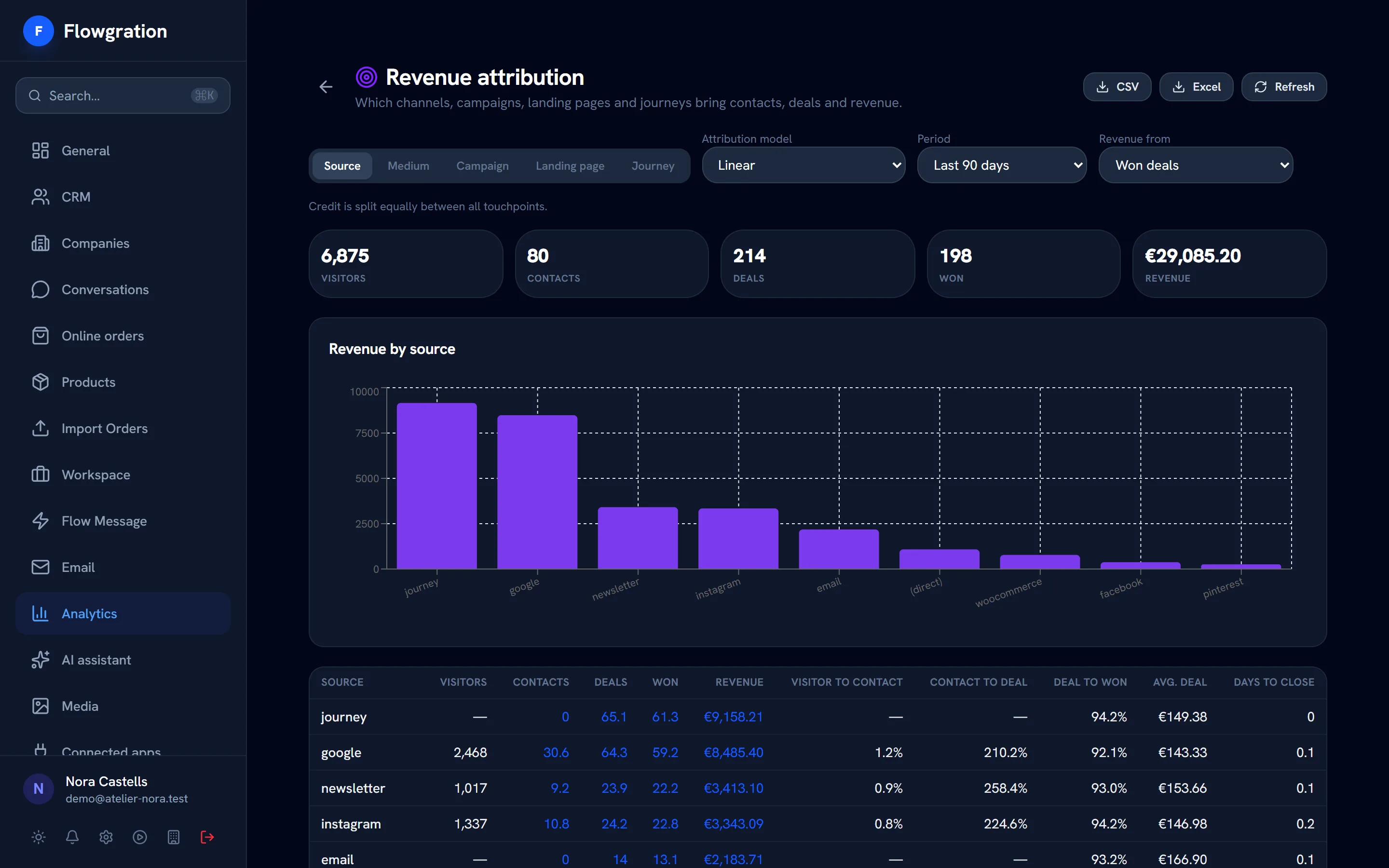
Flowgration brings together each contact's UTM-tagged visits, forms, email clicks, journeys and orders, and splits the credit for every sale between the channels and campaigns that brought it, with the model you choose.

From the Pro plan · Try any paid plan for 14 days with no card
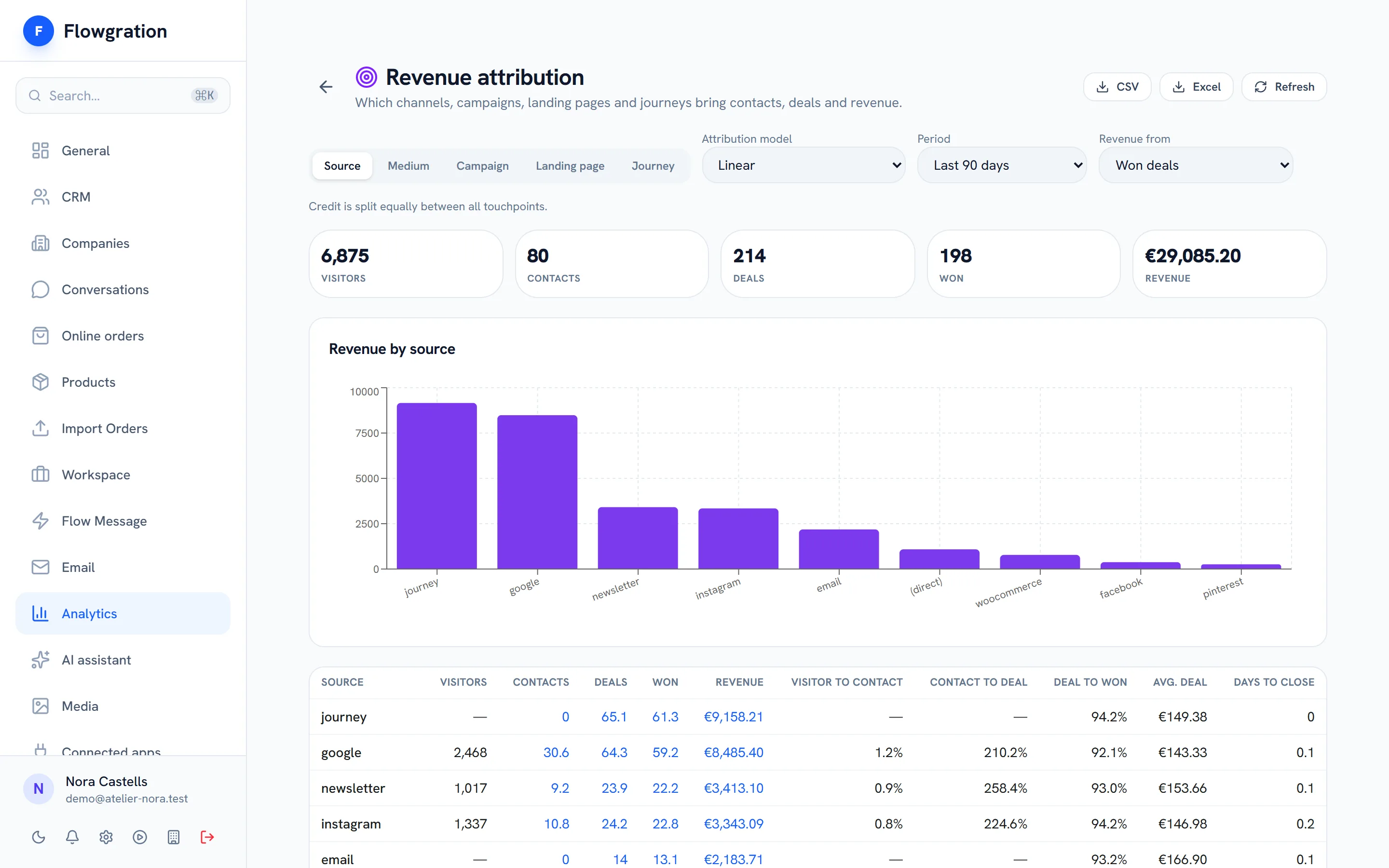
Revenue attribution report: orders and won deals credited to each traffic source and campaign

Sample data

The last step of the chain: knowing what worked

Every form, link page or booking can assign the contact to a campaign, and the report connects that campaign with won deals, paid invoices and paid orders.

How it all connects

  1. 01
    Link page
    Your bio link, with your buttons, your socials and a QR code
  2. 02
    Form or booking
    The customer leaves their details or picks a slot
  3. 03
    Contact + deal
    Created or filled in on their own in the CRM
  4. 04
    Journey
    Welcome, confirmation or reminder, hands-free
  5. 05
    Campaign report
    See which campaign brought each contact and each sale
Models

Five models to split the credit

First touch, last touch, linear, position-based and time decay. Switch models in the report and compare which campaigns open the relationship and which ones close it.

  • First and last touch: all the credit to a single point
  • Linear: credit split equally across every touchpoint
  • Position-based (U-shaped): more weight on the first and the last
  • Time decay: more weight on what came closest to the conversion
Attribution model
  • First touch
  • Last touch
  • Linear
  • Position-based (U-shaped)
  • Time decay

Credit for four touchpoints before a sale, from first to last.

Illustration of how each model splits the credit
Touchpoints

Every contact, with their full path

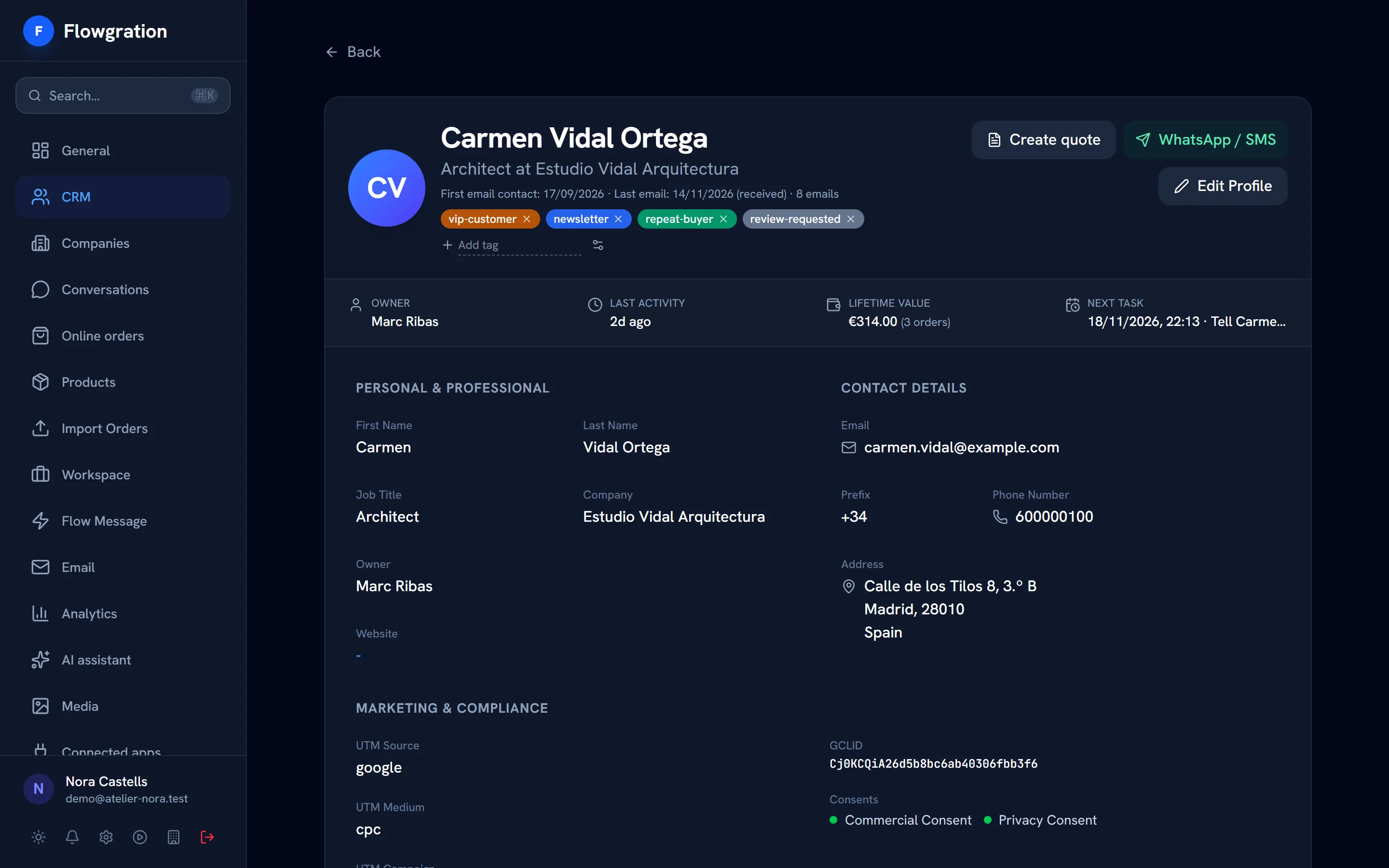
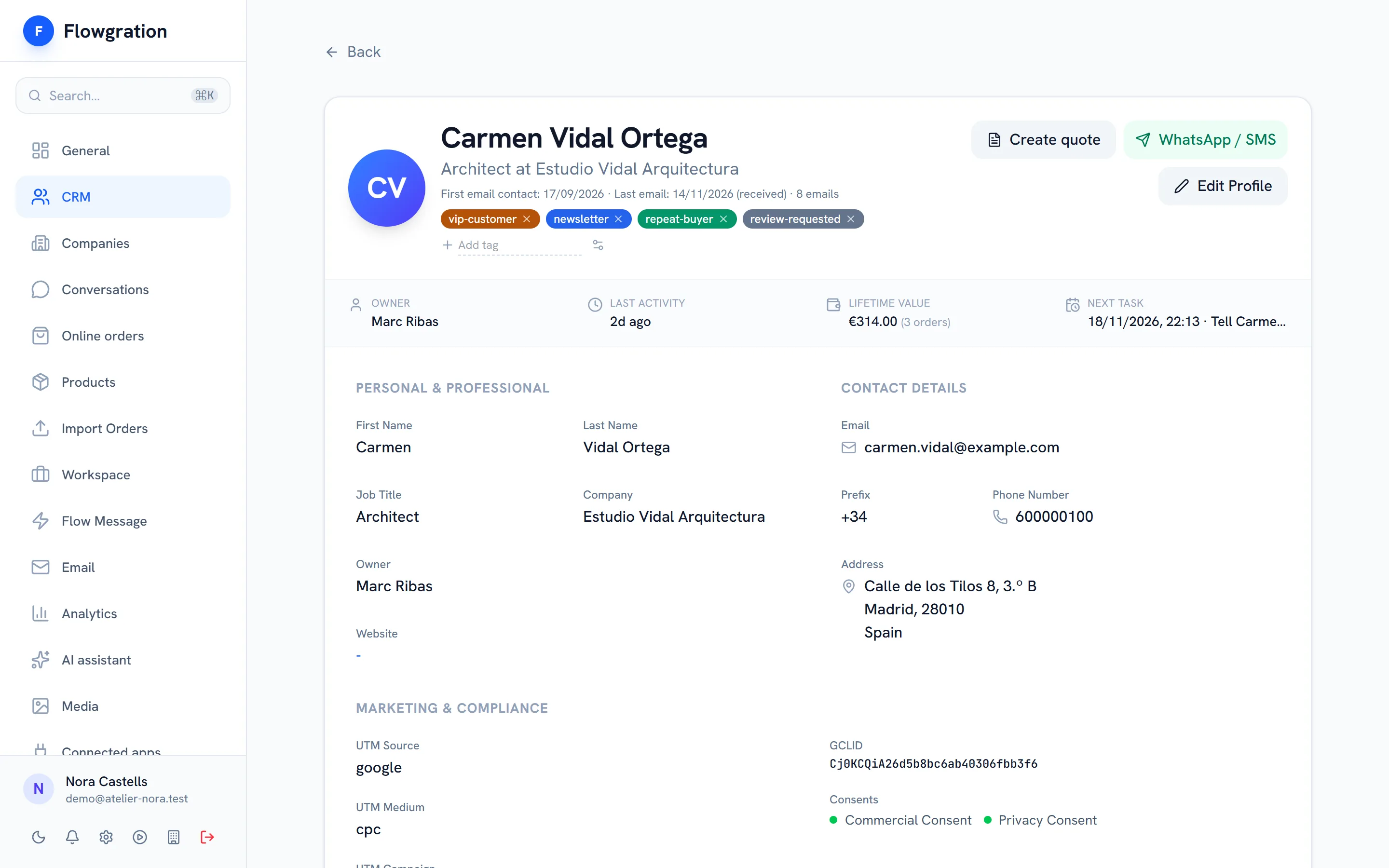
The report takes into account the identified visitor's UTM-tagged web visits, form submissions, email clicks, journey entries and orders with UTMs, and the record stores the source, medium and gclid.
  • Source, medium, campaign, landing page and journey as report dimensions
  • Each contact's path, with the credit for each point under the model
  • UTMs and gclid stored on the contact record
  • When nothing else exists, the source stored on the contact counts: import, integration or manual entry
Contact profile in Flowgration with tags, owner, lead score, orders value and the next task

Sample data

Revenue

From contact to paid sale

Choose whether revenue means won deals, paid invoices or paid orders from your store, excluding or including VAT, and export the report to CSV or Excel.

  • Visitors, contacts, deals, won deals and revenue per source or campaign
  • Conversion from visitor to contact, contact to deal and deal to won
  • A period of your choice and export to CSV or Excel
  • Recalculated every night, and straight away when you click "Refresh"
From capture to revenue
Capture
FormsLink pagesBookingsUTM-tagged links
Dimensions
SourceMediumCampaignLanding pageJourney
Revenue
Won dealsPaid invoicesPaid orders
The report

What the attribution report answers

Concrete questions answered with your own CRM data.

Which channel brings customers

Visitors, contacts, deals and sales for each source and medium.

Which campaign sells

Revenue per campaign with the attribution model you choose.

Which page converts

Results per landing page for the people who reach your site.

Which journey helps close

Entering a journey counts as one more touchpoint in the path.

What happened before each sale

A contact's path, with every touchpoint and its share of the credit.

UTM-tagged campaigns

Build the UTM URLs for each campaign from the CRM so everything arrives tagged.

Campaign attribution frequently asked questions

Which attribution models does Flowgration have?
Five: first touch, last touch, linear, position-based (U-shaped: 40% for the first touchpoint, 40% for the last and the remaining 20% split across the ones in between) and time decay, which gives more weight to the touchpoints closest to the conversion.
What counts as a touchpoint?
UTM-tagged web visits of identified visitors, form submissions, email clicks, journey entries and store orders with UTMs. When none of those exist, the source stored on the contact.
Which revenue can I attribute?
The value of won deals, paid invoices or paid orders from your store; for invoices and orders you can see amounts excluding or including VAT.
Which plan includes campaign attribution?
The Pro plan and above. You can try any paid plan for 14 days with no card before you decide.

Invest in the campaigns that sell

Connect your campaigns with your real sales and decide with your own CRM data.

Try it free for 14 days